A professional food photographer charges $400–$600 for a half-day shoot. For a small restaurant updating its menu three times a year, that math doesn’t work. AI food photography tools for restaurants were supposed to fix that. Most of them do. One whole category of them will actively hurt you.
Which tool you choose determines whether your delivery app listings look more professional — or whether you end up like Instacart, Forkable, or Zomato, all of which got publicly shamed in 2024 and 2025 for serving customers fake food photos that made real dishes look worse.
Here’s the short version: AI photo enhancement tools — software that takes your actual dish photos and makes them look professional — are a genuine operational win for small restaurants. AI image generators that create photos of food that doesn’t exist are a customer trust problem and a delivery platform policy violation. The tools worth buying do the first thing.
Here’s how each of the main players actually works, what they cost, and what the vendor-written guides leave out.
The One Distinction That Matters Before You Buy Anything
There are two fundamentally different things being sold under the label “AI food photography tool.” Confusing them is expensive.
AI photo enhancement takes a real photo of your actual dish and improves it — better lighting, cleaner background, sharper detail. The food shown is the food you serve.
AI image generation creates a photorealistic image of food from a text prompt. The food shown may not exist at all, or may look nothing like what you cook.
Every major delivery platform — DoorDash, Uber Eats, Grubhub — requires that menu photos be “a truthful and accurate representation of the dish a customer will actually receive.” Generation tools violate this by design.
Zomato learned this the hard way. In August 2024, CEO Deepinder Goyal announced a platform-wide ban on AI-generated restaurant images, writing: “We use various forms of AI to make our workflows efficient. However, one place where we strongly discourage the use of AI is images for dishes in restaurant menus.” The trigger: a surge in customer complaints and rising refund requests after AI-generated images appeared on restaurant listings (Business Today, August 20, 2024).
Food critic Georgina Voss, writing in Vittles Magazine in November 2025, described the experience with pointed accuracy: “The computer is giving us its interpretation of a steak…something’s getting lost in translation.”
Most vendor-written guides in this space deliberately blur the enhancement/generation line. More impressive demos come from generation tools — a prompt can produce a dish that looks like it came from a Michelin-starred kitchen. Enhancement tools can only make your actual chicken sandwich look better. The demos don’t sell themselves the same way. So vendors blur the line, and you end up buying the wrong thing.
We’re drawing the line hard here. Every recommendation in this article is for tools that show customers the food you actually serve.
Quick Comparison: AI Food Photography Tools for Restaurants
We excluded pure AI image generators — DALL-E, Midjourney, Adobe Firefly, Stable Diffusion — from this comparison. They are not restaurant tools. They are art tools being misapplied to a food business problem, with documented consequences described below.
| Tool | Free Tier | Starting Price | Images/Month (mid-tier) | Delivery App Mode | Enhancement vs. Generation | Best For |
|---|---|---|---|---|---|---|
| MenuPhotoAI | 5 credits, no CC required | ~$27/mo | varies | Yes (8 platform-specific modes) | Enhancement only | Delivery-first single location |
| FoodShot AI | 3 watermarked credits | $9/mo (annual) | 25 images | Not specified | Both (generation is a liability) | Social media + style variety |
| PlatePhoto | None | $10/mo | 20 images | Yes | Enhancement only | Multi-location consistency |
| AIMenuPhoto | Unclear | $5.99/mo | Unclear | Yes | Unclear | Absolute budget minimum |
Pricing verified from official sites and SourceForge/ToolHunt listings as of March 2026.
MenuPhotoAI: Best for Delivery App Optimization
MenuPhotoAI does exactly one thing: take a smartphone photo of your dish and return a professional-looking image optimized for delivery app listings. No generation, no synthetic food, no text prompts.
What makes it stand out in this category is the delivery-platform specificity. It offers 8 platform-specific style modes tuned to Uber Eats, DoorDash, Deliveroo, and Just Eat — plus 18 broader product photography presets. That’s a genuine difference from tools that export a generic “food photography” look and leave you to hope it works on your listing.
Pricing runs approximately $27–39/month based on third-party listings (SourceForge, ToolHunt). The free trial is genuinely unusual: 5 credits, no credit card required, no watermark on outputs, with full commercial rights included. In a category where free tiers are either watermarked or locked behind signup friction, that matters.
The honest caveats: MenuPhotoAI’s own pricing page isn’t publicly accessible, so the numbers come from third-party aggregators, not their own site. No confirmed batch processing. No third-party reviews yet. And their own “best AI food photography tools” roundup lists themselves first — vendor bias on full display. That doesn’t mean the product is bad. It means you should try the free trial before paying, which they make easy.
Best for: A single-location restaurant owner focused on delivery performance who wants a tool built specifically for that context and a genuinely risk-free way to test it.
FoodShot AI: Most Flexibility, But Read the Fine Print on Generation Features
FoodShot AI has the clearest pricing of any tool in this category, which is worth acknowledging: free (3 watermarked credits), $9/month annual (25 images), $27/month annual (100 images), $59/month annual (250 images + bulk processing). Credits don’t roll over. No surprises.
The feature set is extensive — 100+ style presets, 4K output, Builder Mode for custom backgrounds, and bulk processing on the Scale plan. For a restaurant with active social media and a genuine need for style variety, this is the right breadth.
But here’s the thing: FoodShot AI also offers text-prompt image generation. You can type “sesame chicken, dramatic lighting, dark background” and get a photo of sesame chicken you may or may not have cooked. That feature is real, it works, and it will get your listings flagged if you use it on DoorDash or Uber Eats.
FoodShot AI gives you rope. The text-prompt generation features produce food photos of dishes you’ve never cooked. If you use those for your delivery app listings, you are creating a gap between what customers expect and what arrives — and you will pay for it in 1-star reviews, refund requests, and eventually flagged listings. Stick to the enhancement presets. Treat the generation tools as the liability they are.
Other caveats: iOS and web accounts don’t sync. Refunds are only available before any credits are used.
Best for: Restaurants with high social media output that need style variety — and understand clearly that generation features stay off your delivery app listings.
PlatePhoto: Best for Multi-Location Consistency
PlatePhoto’s pitch isn’t the flashiest, but it solves a real problem: if you have 40 menu items across two locations and need them all to look like they came from the same photoshoot, batch enhancement is exactly what AI should be doing for restaurants.
Pricing: $10/month (20 credits), $40/month (100 credits), $99/month (300 credits). Enhancement-only positioning. Delivery-app format optimization. Forty-plus professional presets built for the delivery app format. No generation features to accidentally misuse.
What’s missing: No free tier. No published refund or cancellation policy. Thin third-party validation. No public API or POS integration details. For a restaurant evaluating a $40/month subscription, “no free trial and no refund policy” is a real friction point.
The honest endorsement: For the specific use case — a growing restaurant that needs visual consistency across a full menu or multiple locations — PlatePhoto is AI solving an actual operations problem, not pitching a gimmick. A single photoshoot can’t keep up with a seasonal menu. Batch enhancement can.
Best for: Small chains or fast-growing single-location restaurants that need their whole menu to look cohesive, not just their hero shots.
AIMenuPhoto: The Budget Option (With Real Caveats)
At $5.99/month, AIMenuPhoto is the cheapest dedicated restaurant AI photography tool by a significant margin. It’s web-based, requires no app download, and offers a companion guide library focused on delivery platform compliance that is, honestly, quite good.
The problem is everything else about the product page. Image limits per month? Not published. Free trial? Not confirmed. Enhancement or generation? Unclear. Third-party reviews? Zero. You are being asked to make a business decision about a tool you cannot fully evaluate before buying it.
At $5.99/month, the price is right but the information is wrong. We can’t tell you what you actually get for that money — and that’s a real problem when you’re making a business decision. The compliance guides are legitimately good. The product page is not. Try it at $5.99 if budget is the primary constraint, but verify what you’re getting before using it on your top-selling items.
Best for: A restaurant owner where price is the hard constraint and $5.99/month represents a low-enough financial risk to experiment without full information.
Don’t Overlook What’s Already Built Into Your Delivery Apps
Every vendor-written guide in this category ignores these tools. They generate no affiliate revenue. That’s the only reason they’re not in every roundup you’ve already read.
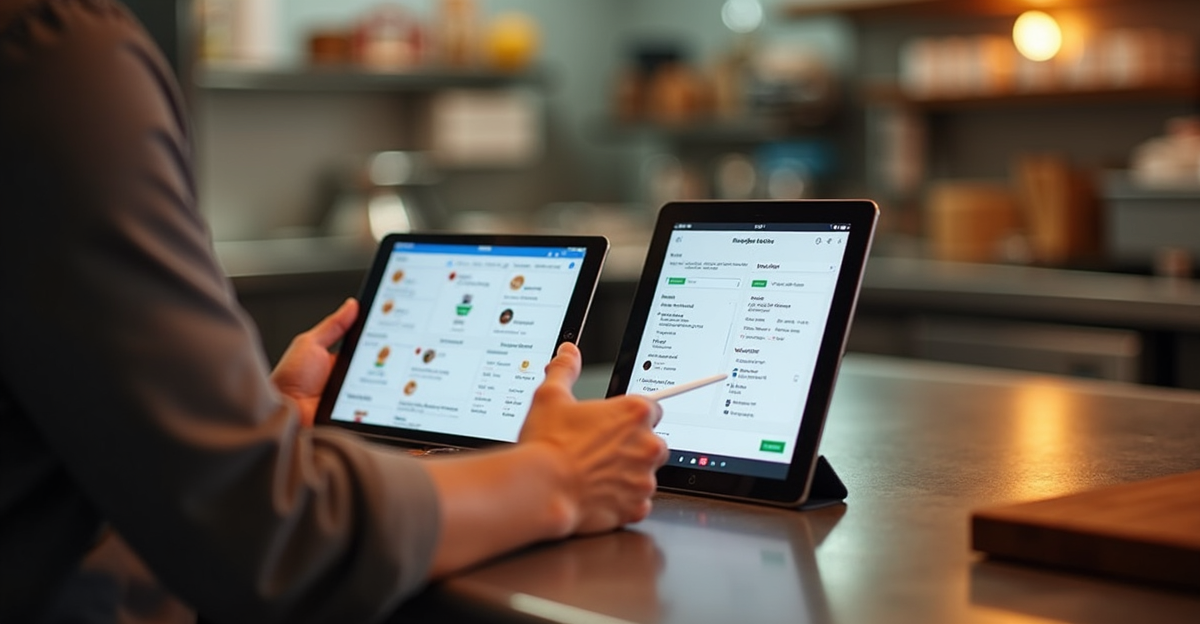
DoorDash launched “Background Enhanced Menu Photos” in April 2025. The tool adjusts lighting, re-plates, and modifies backgrounds for merchant-uploaded images at no additional cost. It’s free, it’s compliant by design (DoorDash built it; it can’t generate food that doesn’t exist), and it’s already integrated into your merchant dashboard.
Uber Eats has its own free AI enhancement tool for merchant images. It improves lighting, resolution, framing, and plating of uploaded photos.
Both tools are the sensible first step before spending money on a third-party subscription. The limitation is real: you’re locked into the platform’s aesthetic, with no customizable style library. For restaurants with strong brand identity or high social media output, a dedicated third-party tool gives you more control.
But for a restaurant owner just starting to think about photo quality, spending nothing is the right first step. Try the platform tools. If they’re not enough, then evaluate paid options. Anyone telling you to go straight to a $40/month subscription without mentioning the free platform tools is not giving you complete information — and that includes every vendor roundup currently ranking above this article.
Why AI-Generated Food Photos Will Eventually Cost You — The Evidence
The food-tech industry keeps selling AI-generated food imagery as a cost-saving innovation. The evidence says it is an elaborate way to make customers trust you less.
Zomato (August 2024): Platform-wide ban on AI-generated restaurant images after customer complaints spiked and refund requests rose. CEO Deepinder Goyal issued the ban publicly. This wasn’t a quiet policy update — it was a public acknowledgment that the product failed customers (Business Today, August 20, 2024).
Instacart (February 2024): Caught using undisclosed AI-generated product images. Documented examples included a roasted chicken with two pairs of wings, a hot dog rendered with tomato interior anatomy, and salted chocolate pretzels that looked like — Hacker News was not kind about this — “horrifying brown protrusions.” Images were quietly removed after Reddit threads documented dozens of examples. Instacart’s official response: “We are constantly iterating on our product to align with consumer expectations as generative AI technology matures.” A Hacker News commenter put it more bluntly: “Who asked for this??” (Hacker News, February 2024).
Another commenter in the same thread named what was actually happening: “Résumé-driven development — engineers shipping AI features for career optics, not user benefit.”
Forkable (December 2025): An SF-based catering platform replaced restaurant partners’ real food photos with AI-generated versions — without the restaurants’ consent. Emily Winston of Boichik Bagels: “If you’re ordering off a menu, you want it to look like the actual food — it just doesn’t look right. It looks like you’re ordering fake, fake food.” (SFist, December 8, 2025).
The science: A peer-reviewed study in the journal Appetite (April 2025, 95 participants, 38 images) found AI-generated food images scored lower on visual appeal than both authentic food photos and clearly unrealistic AI art. The uncanny valley applies to food — images that are almost-but-not-quite real are more disturbing than either extreme (PetaPixel, March 27, 2025).
A separate finding, from a 297-participant study covered by aiornot.com: when participants didn’t know images were AI-generated, they rated AI food images as more appetizing than real food. The moment they were told the images were AI-generated, trust collapsed. That is not a foundation for a restaurant’s reputation. AI-generated food photos work precisely until customers find out — and customers are getting better at finding out.
Reddit users have been documenting suspicious delivery app images for over a year. One user in r/Singapore, responding to AI-generated images on the Grab delivery app, put it simply: “I don’t care if your photos suck, at least I know what I’m ordering.” (The Cooldown).
The tools that take your real food and make it look better are genuinely useful. The tools that invent food on your behalf are a liability masquerading as a feature.
Best AI Food Photography Tool by Restaurant Type
No hedging. Here’s what actually makes sense depending on where you are.
If you’re just getting started or budget-constrained: Use your delivery platform’s built-in AI tools first — DoorDash Background Enhanced Menu Photos and Uber Eats AI enhancement are both free, both compliant, and both already in your merchant dashboard. Then try MenuPhotoAI’s 5-credit no-credit-card trial. Only pay a monthly subscription if you can observe a conversion difference.
If you’re a growing restaurant with 2–5 locations: PlatePhoto at $40/month. Batch enhancement and menu-wide visual consistency across locations justifies the price at this scale. The real problem at this stage isn’t one great photo — it’s 40 photos that all look like they belong together.
If you have high social media output and need style variety: FoodShot AI at $9–27/month (annual). Use only the enhancement presets. The generation features are genuinely off-limits for any public-facing food listing.
If price is the hard constraint: AIMenuPhoto at $5.99/month is a reasonable experiment despite the transparency gaps. Verify output quality on a few dishes before committing it to high-traffic menu items.
What to skip entirely: Any tool whose primary marketing pitch is “AI creates stunning food photos from a text description.” That is not a restaurant tool — it is a liability with a subscription attached.
Photo enhancement AI solves a real restaurant operations problem — the cost barrier to professional photography — without asking you to misrepresent what you serve. That’s the rare AI win in food that we actually believe in. It handles the part of the job that was always just about budget, and leaves the part that actually requires skill — cooking the dish, presenting it well, building a menu worth photographing — exactly where it belongs. With you.
For a broader look at where AI genuinely helps and where it doesn’t, see our guide to where AI genuinely helps restaurants — and where it doesn’t, and AI tools that cut food waste for small restaurants — two areas where the wins are real and the hype is considerably less toxic. Both are worth reading alongside this one if you’re building out your best AI tools for small restaurant owners stack.
Frequently Asked Questions
Can AI replace professional food photography for small restaurants?
For delivery app listings: enhancement AI gets you 80% of the way there for 5–10% of the cost. For editorial, press, or premium brand content — no. AI enhancement tools improve what you photograph; they don’t replace photographic skill or food styling. A good food photo still starts with good lighting and a well-presented dish. The AI handles the rest. Professional photography remains the gold standard for brand-defining content; AI enhancement is the right tool for operational efficiency.
What’s the difference between AI photo enhancement and AI-generated food images?
Enhancement takes a real photo of your actual dish and improves it — lighting, background, sharpness. The food shown is the food you serve. Generation creates a photorealistic image from a text prompt — the food shown may not exist or may look nothing like your dish. Enhancement is compliant with delivery platform policies. Generation violates delivery platform truthful-representation requirements and has triggered bans (Zomato, August 2024) and public backlash (Instacart, February 2024). Many tools that look like “enhancement” also offer generation features — read the feature descriptions carefully before assuming.
Does better food photography actually increase delivery platform orders?
Yes, consistently. DoorDash says adding high-quality photos increases delivery volume by 15% (DoorDash merchant resources). Grubhub cites 30%+ more orders, and up to 70% more for restaurants with photos and descriptions versus without (Grubhub official data). Snappr’s 600-person survey found a 35% order increase and 25% menu conversion improvement (Snappr Enterprise Blog; note: Snappr is a photography marketplace — commissioned study, not independent research). These figures apply to any quality photography. The ROI case is well-established. The only question is which method of improving your photos makes sense for your situation.
Which AI food photography tool is best for a single-location independent restaurant?
Start with your delivery platform’s free built-in AI enhancement — DoorDash Background Enhanced Menu Photos and Uber Eats AI enhancement for merchants are both free and already in your merchant dashboard. If you need more control or a distinct visual style, try MenuPhotoAI’s free 5-credit trial (no credit card required, full commercial rights, no watermark). Only commit to a monthly subscription after verifying the quality works for your specific dishes and you can observe a conversion difference.
Are AI-generated food photos misleading to customers — is there a legal or trust risk?
Yes to both. Practically: Zomato banned AI-generated images after refund complaints spiked (August 2024). Instacart quietly removed dozens of AI images after Reddit documentation in early 2024. Delivery platforms require photos to be “a truthful and accurate representation of the dish.” Legally: false advertising claims are theoretically actionable if AI-generated images materially misrepresent what a customer receives. No major case has been decided yet, but the risk is real and growing. The trust risk is immediate and documented. The safest position is simple: only use photos that show the dish a customer will actually receive.
Start With What You Already Have
AI photo enhancement is the rare AI tool in food that solves a real problem without replacing anything irreplaceable. It lowers the cost of looking professional without asking you to misrepresent what you serve.
If you’re on a delivery platform and haven’t updated your menu photos in over a year, start with the free AI enhancement built into DoorDash or Uber Eats today. If you need more control, MenuPhotoAI’s 5-credit no-credit-card trial is the lowest-friction paid test. Only subscribe monthly once you’ve measured whether it moves your conversion rate.
The restaurants getting burned by AI food photos all had one thing in common: they showed customers food they couldn’t deliver. Don’t do that.