MarketMan or MarginEdge — worth it for your restaurant?
Your food costs are bleeding you dry, and someone mentioned MarketMan. Or MarginEdge. Maybe both. You’ve spent 20 minutes on their pricing pages and you’re no closer to a decision because both claim to solve the same problem with very different approaches — and very different price tags.
MarketMan starts at $199/month (plus a $500 setup fee). MarginEdge starts at $330/month. That’s $2,388 to $3,960 a year before you’ve scanned a single invoice.
Here’s the verdict before the breakdown: MarginEdge wins for restaurants that process heavy invoice volume and want real-time financial visibility. MarketMan wins for multi-location operators focused on purchasing automation and par-level ordering. But for most independent restaurants doing under $800K in annual revenue, neither tool may be worth the price — and we’ll show you the math.
What Each Tool Actually Does
These tools solve overlapping but distinct problems. Getting this wrong means paying for features you’ll never use.
MarketMan is primarily a purchasing and inventory automation platform. Its core strength: set par levels for every ingredient, and the system automatically fires purchase orders when stock drops. If you’re managing multiple vendors and want to eliminate the “call your rep every Tuesday” routine, MarketMan handles it. It also does recipe costing, inventory tracking, and integrates with 50+ POS systems.
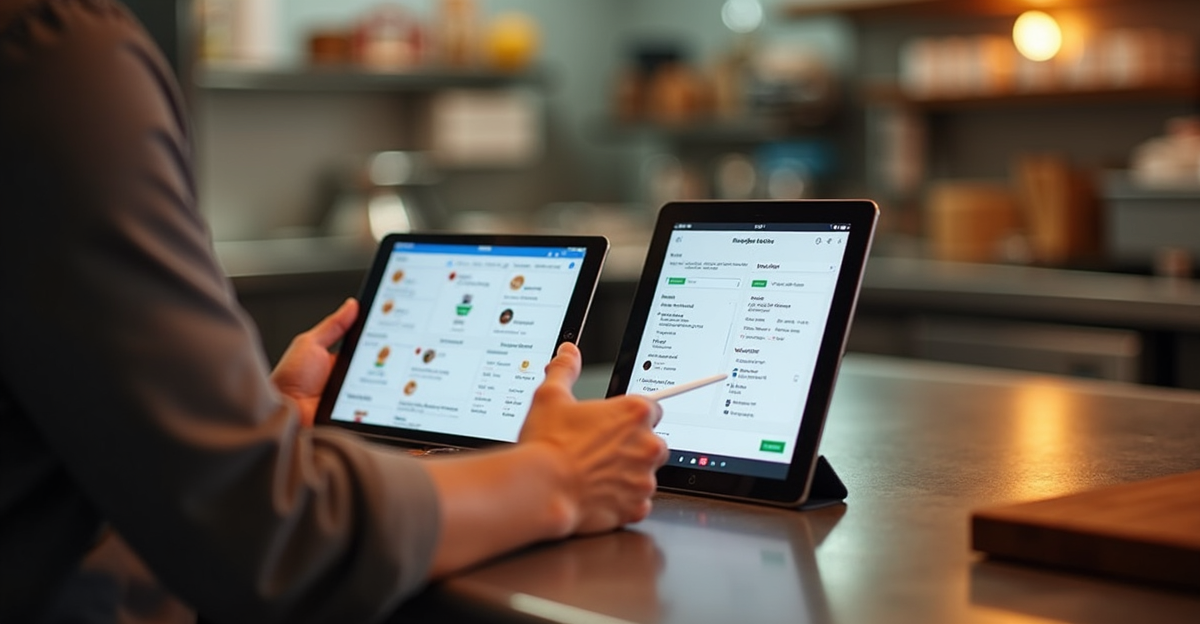
MarginEdge is primarily an invoice processing and financial visibility platform. You photograph or email invoices to MarginEdge, and a human review team (not just OCR software) checks the AI-extracted data before it hits your books. The standout feature is the daily P&L — food and labor costs updated in real time, not at month-end when the damage is already done. It also includes recipe costing, bill pay, and price alerts when ingredient costs change.
Both do inventory. Both do recipe costing. The difference is where they shine: MarketMan on the ordering side, MarginEdge on the accounting side.
MarketMan vs MarginEdge: Side-by-Side Comparison
| Feature | MarketMan | MarginEdge |
|---|---|---|
| Starting price | $199/month + $500 setup fee | $330/month |
| Invoice processing | Automated OCR scanning | Human-reviewed AI extraction |
| Purchase order automation | Yes — par-level triggered | No |
| Daily P&L | No | Yes |
| Bill pay | No | Yes (unlimited, no extra cost) |
| Recipe costing | Yes | Yes |
| POS integrations | 50+ | 45+ |
| Accounting integrations | QuickBooks, Xero | QuickBooks Online, Xero, Sage Intacct |
| Setup time | High (weeks to months) | High (days to weeks) |
| G2 rating | 4.2/5 | 4.6/5 |
| Best for | Multi-location, purchasing-heavy ops | Invoice-heavy, financially-focused ops |
Pricing checked March 2026 via official pricing pages and GetApp/Capterra listings.
MarketMan: Who It’s For (And Who It’s Not)
MarketMan’s strongest feature is purchasing automation. If you’re tired of manually tracking which vendor has what in stock and placing orders by phone or email, MarketMan’s par-level system is genuinely useful. You set the minimum quantity for each ingredient, and when inventory drops below that threshold, a purchase order goes out automatically.
The recipe costing and profitability tracking are solid too — you can track COGS per dish over time and catch margin creep before it becomes a problem.
The problem: MarketMan’s invoice scanning has a reliability issue that shows up consistently in user reviews. One G2 reviewer noted that “invoice scanning did not work 50% of the time and support would take days to respond.” That’s not an edge case complaint — it’s a pattern. If your back-office team is using MarketMan specifically to cut invoice processing time, and scanning fails half the time, you haven’t saved anything.
Setup is also a significant undertaking. Getting MarketMan running means importing every ingredient, building your recipes from scratch in the system, connecting your POS, training staff, and configuring vendor workflows. Reports from Reddit users and restaurant operators suggest this takes hundreds of hours of manual entry for restaurants with complex menus.
MarketMan works best for:
- Multi-location restaurant groups (3+ locations) with a dedicated operations or back-office team
- Restaurants with complex vendor relationships that benefit from automated POs
- Operators who have the bandwidth to do the initial setup properly
MarketMan is a bad fit for:
- Solo operators or small teams who will use it sporadically
- Restaurants relying on it primarily for invoice scanning (too unreliable)
- Any operation under $1M revenue where the $199+/month cost is a meaningful percentage of profit
MarginEdge: Who It’s For (And Who It’s Not)
MarginEdge’s strongest feature is invoice processing — but not in the way you might expect. They don’t just run OCR and hope for the best. A human review team with restaurant industry backgrounds checks the AI-extracted data before it hits your books. That’s why MarginEdge catches errors that fully automated tools miss: mis-keyed quantities, wrong units, price changes your vendor didn’t flag.
The daily P&L is the feature operators talk about most. Instead of waiting for month-end to learn that your food cost ran 38% last month (and doing nothing about it for 30 days), MarginEdge shows you food and labor costs as they happen. Operators who use it consistently report catching food cost problems in days instead of weeks.
User satisfaction is noticeably higher than MarketMan’s — 4.6/5 on G2 with 80% five-star reviews (as of March 2026). The complaints center on setup time and recipe configuration being time-consuming, not on core functionality breaking.
The real risk with MarginEdge isn’t that it doesn’t work — it’s that it requires discipline to maintain. Restaurant accountants have described clients who implement MarginEdge and then never keep recipes updated or do regular inventory counts, ending up with a $330/month subscription generating bad data. The tool is only as good as the team operating it.
MarginEdge works best for:
- Restaurants with high invoice volume (10+ invoices/week)
- Operators who want daily financial visibility and real-time food cost tracking
- Groups already using QuickBooks Online, Xero, or Sage Intacct who want tighter accounting integration
MarginEdge is a bad fit for:
- Operations where nobody will commit to daily invoice submission and regular inventory counts
- Restaurants primarily looking for purchasing automation (MarginEdge doesn’t do par-level POs)
- Any single-location independent restaurant where $330/month is a major line item
The Revenue Threshold Test: When Either Tool Actually Makes Financial Sense
This is what most comparison articles skip — the actual math.
The average independent restaurant runs on 3-5% net profit margins. On $800,000 in annual revenue, that’s $24,000-$40,000 in profit.
MarketMan at $199/month = $2,388/year = roughly 6-10% of total annual profit for a restaurant at that revenue level. MarginEdge at $330/month = $3,960/year = roughly 10-16% of total annual profit.
That math only makes sense if the software saves you at least that much — in reduced food waste, recovered invoice errors, or labor hours. For a restaurant with disciplined existing processes and food cost variance under 2%, you’re probably not going to save $3,960/year switching from a spreadsheet to MarginEdge.
For a restaurant doing $2M+ in revenue with 4+ vendors, 30+ invoices/week, and no centralized purchasing process? The ROI calculation is much more favorable. You’re not spending 10% of profits — you’re spending 1-2%.
The threshold in practice:
- Under $800K revenue → Explore free or low-cost alternatives first (see next section)
- $800K-$1.5M revenue → MarketMan might be worth it if purchasing is chaotic; MarginEdge if invoice accuracy is the problem
- Over $1.5M with multiple locations → Both are worth evaluating seriously
For restaurants in that middle band, best AI tools for small restaurants covers broader options across operations categories.
Alternatives Worth Considering Before You Commit
Before signing a 12-month contract, consider whether a simpler tool solves 80% of your problem:
BlueCart — $10/month. Strong for streamlining vendor ordering and procurement. Weak on inventory depth, recipe costing, and waste analysis. If your primary pain is “I spend too long placing orders,” BlueCart might be enough without the $189-$320/month premium.
Toast Inventory — If you’re already on Toast POS, the built-in inventory features cost significantly less than adding a standalone tool. Not as deep as MarginEdge or MarketMan, but integrated and maintained without duplicate data entry.
Spreadsheet-based food cost tracking — Not as sexy, but genuinely effective for single-location restaurants with a simple menu. Weekly food cost percentage calculation in a Google Sheet costs $0 and requires no integration work. Start here, identify your actual gaps, then decide if software is the answer.
The 7shifts vs HotSchedules comparison covers the scheduling side of restaurant operations, and AI for restaurant menu descriptions handles the front-of-house content side — both worth evaluating separately from your back-office software stack.
Frequently Asked Questions
Is MarketMan worth it for a small restaurant?
For most single-location restaurants under $800K in revenue, probably not. The $199/month Starter plan costs $2,388/year — a significant expense for a restaurant running 3-5% net margins. MarketMan makes the most financial sense for multi-location operations where purchasing automation across several locations saves measurable staff time and reduces over-ordering.
What is the main difference between MarketMan and MarginEdge?
MarketMan’s core strength is purchasing automation — it fires purchase orders automatically when inventory hits par levels. MarginEdge’s core strength is invoice processing and financial visibility — specifically the human-reviewed invoice capture and the daily P&L that updates in real time. Both do recipe costing and inventory tracking, but they’re optimized for different operational pain points.
Does MarginEdge integrate with QuickBooks?
Yes. MarginEdge integrates with QuickBooks Online, Xero, and Sage Intacct. It’s a notable advantage for restaurants already using these accounting platforms, since invoice data flows directly into the books without manual re-entry.
Is there a free trial for MarketMan or MarginEdge?
Neither offers a standard self-serve free trial. Both offer demos on request. MarketMan also charges a $500 setup fee on top of monthly pricing, which you lose if the platform doesn’t work for your operation. Request a demo before committing, and ask specifically about the invoice scanning accuracy rate.
What are the best alternatives to MarketMan and MarginEdge?
BlueCart ($10/month) works for restaurants whose primary need is ordering automation. Toast’s built-in inventory covers basic needs for Toast POS users. For restaurants under $600K revenue or with simpler menus, a disciplined spreadsheet system often delivers 80% of the value at 0% of the cost.
Make the Call
MarginEdge is the better tool for most restaurants that can justify the price — the human invoice review, daily P&L, and accounting integration are genuinely valuable and the user satisfaction numbers back it up. MarketMan is the better choice if purchasing automation across multiple locations is your primary pain and you have the staff to manage the setup properly.
For single-location independent restaurants, run the revenue threshold test first. If the annual cost of either tool represents more than 10% of your annual profit, start with a simpler solution and come back to this decision when margins improve.
The best inventory software is the one your team will actually use every day. A $330/month system nobody maintains is $3,960/year of bad data.