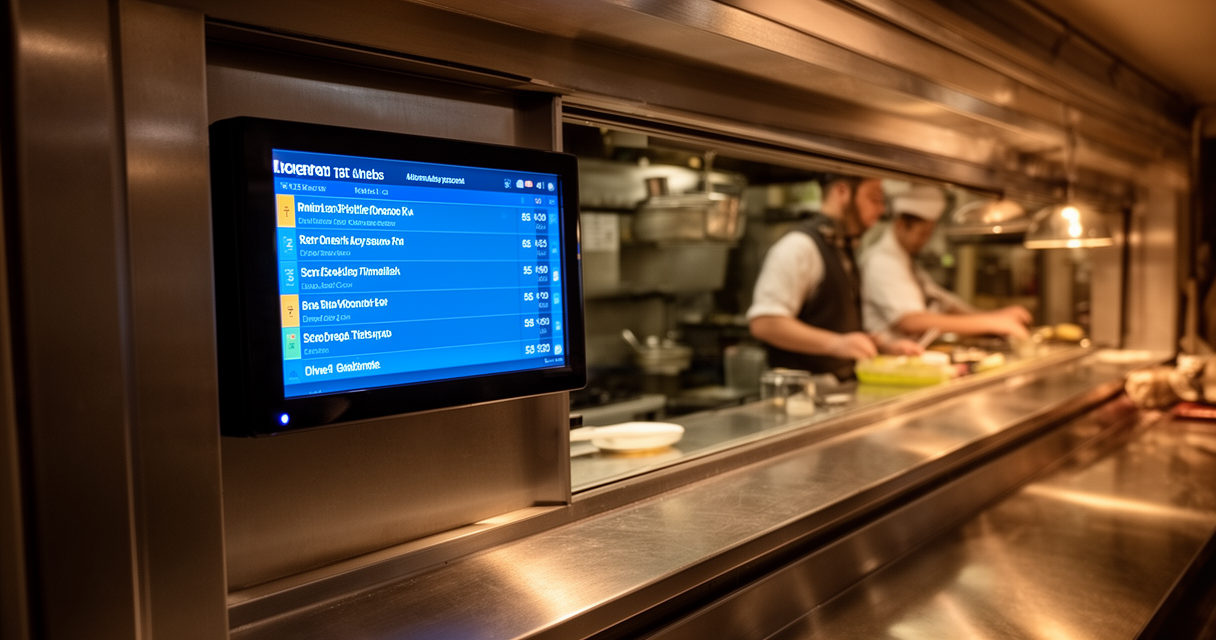
Most kitchen display system roundups are written — directly or indirectly — by people who benefit from selling them. The result is a genre of content that makes every independent restaurant feel technologically behind if they don’t have a glowing screen bolted above the pass.
The actual decision is shorter than that. The best kitchen display system for a small restaurant is almost certainly whichever one integrates cleanly with the POS already running the front of house. Wrong pick means paying for hardware and a monthly subscription that can’t talk to the system taking orders — or getting pitched into switching the entire tech stack just to get a kitchen screen.
Quick answer: restaurants not on Toast or Square should look at Fresh KDS, which supports 12-plus POS systems (vendor-stated — verify your specific POS at fresh.technology before buying) and runs on iOS or Android hardware operators may already own, with entry pricing around $15–16 per screen per month at publication. Square-native restaurants get Square KDS as the lowest-friction path — it’s largely baked into the Square for Restaurants plan. Toast operators at meaningful volume get the most out of Toast KDS, but only if they’re committed to staying on Toast. And single-station kitchens under about 50 covers with a functioning ticket printer may not need a KDS at all right now.
First: Do You Actually Need a KDS Right Now?
The case for staying with your ticket printer
A thermal ticket printer costs roughly $300–500 in hardware at publication (verify current pricing). It works offline. It requires no monthly subscription. It doesn’t have a firmware update that breaks during a Saturday dinner rush.
For a single-station kitchen running under 50 covers per service with no third-party delivery integration, a ticket printer is often still the right answer. One commenter in r/restaurateur put the math plainly: “Pen and paper works well for small places. $5-10 a month.” The ongoing cost is paper rolls and ribbons — not a SaaS fee on top of hardware depreciation.
The vendor narrative frames this as a false economy because KDS eliminates consumable costs over time. That gap does narrow over 12–18 months in some operations, but it depends entirely on kitchen organization and how consistently staff are trained on the new system. A KDS doesn’t guarantee faster ticket times or fewer errors — that outcome depends on how the kitchen is organized, not just what’s on the wall.
The subscription economy hasn’t made ticket printers obsolete for small operators. If the printer is working and tickets are moving, that is a legitimate operational decision, not a technology failure.
The signs you’ve outgrown paper tickets
There are real scenarios where a KDS earns its cost quickly. Multiple preparation stations — grill, cold side, expo — that need synchronized ticket visibility. Third-party delivery orders (DoorDash, Uber Eats) arriving on a separate tablet while dine-in orders are on paper, creating two parallel systems nobody is actually reconciling. Tickets getting waterlogged or lost near the steam table. Modifications — 86 the onion, extra sauce, allergy note — not making it to the kitchen consistently.
These are workflow failures that a KDS is designed to address. The question isn’t whether KDS technology works — it’s whether the kitchen’s current problems are actually solved by adding a screen, or whether the real issue is something a screen won’t fix.
The Real Decision: Which Kitchen Display System Works With Your Existing POS?
Determine the POS situation first. Everything else follows from it.
The market divides into two camps. POS-native KDS systems are built by the same company that makes the POS: Toast KDS only works with Toast POS; Square KDS only works with Square for Restaurants. POS-agnostic apps like Fresh KDS are designed to integrate with multiple POS platforms, which makes them the default candidate for any restaurant not already inside one of the big ecosystems.
The practical breakdown:
- On Toast POS → Toast KDS is the native choice. Third-party KDS options exist but remove the tight integration Toast charges a premium for.
- On Square for Restaurants → Square KDS is the lowest-friction, lowest-cost path. It’s largely inside the Square plan already.
- On Clover, Lightspeed, Revel, Lavu, Talech, or another POS → Fresh KDS is the primary option worth evaluating. The vendor states 12-plus integrations including Square and Clover; Lightspeed support should be confirmed directly. Always verify the specific POS version at fresh.technology/kds/integrations before purchasing.
The lock-in trap is worth naming explicitly. Some vendors use KDS as an ecosystem entry point: the kitchen display gets sold first, then the full POS platform follows because certain features only unlock inside the native ecosystem. A KDS should be a kitchen-workflow upgrade, not a Trojan horse for a platform migration. For restaurants considering POS options more broadly, the comparison in choosing a restaurant POS covers that decision in detail.
The 3 Best KDS Options for Small Restaurants — Compared
| KDS | POS Compatibility | Pricing Model | Hardware | Best For | Watch Out For |
|---|---|---|---|---|---|
| Fresh KDS | POS-agnostic (Square, Clover, others — vendor-stated 12+; verify yours at fresh.technology) | Subscription per screen/month; free plan available; entry around $15–16/screen/mo at publication (verify at fresh.technology/kds/pricing; approx. 20% annual discount) | iOS or Android app — BYO hardware | Independents not on Toast wanting to keep their existing POS; lock-in-averse operators | Confirm your exact POS is on the current integration list; some features (screen-to-screen comms, SMS alerts) gated to higher tiers |
| Square KDS | Square for Restaurants only (requires Square Plus or Premium plan) | Low-cost; per-device fee around $20/month per device at publication (verify at squareup.com) | Dedicated Android hardware (migrated from iPad) | Restaurants already on Square wanting lowest-friction setup | Zero value if the restaurant ever moves off Square |
| Toast KDS | Toast POS only | Premium/quote-based; KDS plus other Toast modules can push monthly software cost to $300–400-plus before processing fees — verify all-in pricing directly with Toast sales | Proprietary Toast hardware (14-inch or 22-inch), Toast-managed or self-managed network | Already-on-Toast restaurants at higher volume: full-service, multi-station, heavy delivery | Only makes sense with full Toast commitment; proprietary hardware and network; ecosystem cost is high for small-volume operators |
Fresh KDS
Fresh KDS is the cleanest answer for small independent restaurants that are not on Toast or Square, or that want to preserve the option to change POS later without writing off their kitchen display investment.
The POS-agnostic design is the core value proposition. For an operator on Clover who doesn’t want to switch just to get a kitchen screen, Fresh KDS removes that pressure. The free plan exists for basic use cases; paid tiers unlock routing logic, screen-to-screen communication, and other features that multi-station kitchens need.
The single most important verification step: check fresh.technology/kds/integrations and confirm that the exact POS in use — including version — is on the current integration list, not a “coming soon” entry.
Square KDS
For restaurants already running Square for Restaurants, the Square KDS case is simple. The integration is native and requires no configuration work. The per-device fee is low relative to standalone KDS subscriptions. The hardware is Android-based dedicated units — Square migrated away from iPad in its KDS lineup.
Operators in r/restaurateur who’ve run Square across multiple locations tend to be straightforward about it: “The two restaurants I own use Square. It works fine… significantly better than anything I’d deploy myself.” That’s not an endorsement of Square KDS specifically, but it reflects the general sentiment around Square’s reliability for operators who’ve bought into the ecosystem.
The limitation is absolute: the Square KDS has no value outside Square for Restaurants. If the POS changes, the hardware is stranded.
Toast KDS
Toast builds genuinely capable restaurant technology. The kitchen display integrates deeply with the Toast ecosystem — ticket routing, order modification visibility, expo management — in ways that third-party KDS systems can’t fully replicate. For a full-service independent at real volume, with multiple kitchen stations and consistent high ticket counts, Toast KDS is a defensible choice.
The honest accounting of the cost is harder to stomach at smaller scale. Operators in r/restaurateur have noted it directly: “The monthly software fee is expensive. Their support sucks. But the product itself is great.” And separately, on total cost at lower revenue volume: “Paying $2500 on $200k [annually] for Toast’s software is a luxury you can’t afford.” These observations are about Toast’s overall platform cost, not the KDS in isolation — but the KDS doesn’t exist outside that cost structure.
The flip side: operators who commit to Toast at appropriate volume and complexity tend to report genuine utility from the kitchen display specifically. One reviewer noted: “I really love the kitchen screen, makes viewing your tickets so much easier.” The product works; the question is whether the all-in cost fits the operation.
A 40-seat independent getting pitched the full Toast stack to get a kitchen display should ask plainly: is this a KDS purchase or a platform migration dressed up as a hardware upgrade?
Our Take: The Situational Verdict
Three cases with a clear answer, and one where waiting is the right call.
Not on Toast or Square (or want flexibility): Fresh KDS is the correct evaluation starting point. The POS-agnostic design means the investment isn’t stranded if the restaurant moves off Clover or changes platforms later. Confirm the specific POS integration before purchasing — the vendor-stated list should be treated as a starting point for verification, not a guarantee. Pricing at publication runs around $15–16 per screen per month with a free tier available; verify current pricing at fresh.technology/kds/pricing.
Already on Square for Restaurants: Square KDS is the answer. It’s near-native in the existing plan, requires no integration work, and is appropriately priced for one or two stations. Don’t overcomplicate it.
Already on Toast at meaningful volume: Toast KDS is worth it — the deep integration removes a third-party layer, ticket routing is tight, and at high ticket counts the operational value is real. Small quick-serve operations on Toast should audit whether the full platform cost fits their revenue before adding more modules.
Wait: Single-station kitchens under 50 covers per service, no third-party delivery, no consistent ticket errors, printer working reliably — save the subscription. Revisit if errors or throughput become a documented problem, not a theoretical one.
The restaurant technology industry benefits from operators feeling perpetually behind. A kitchen that doesn’t need a KDS right now is not a kitchen with a technology gap — it’s a kitchen making a deliberate operational decision. The right time to buy a KDS is when a specific problem requires it, not when a vendor’s sales deck suggests it.
What to Check Before Buying a Kitchen Display System
POS compatibility. Confirm the exact POS and version is on the vendor’s current integration list — not a “planned” or “coming soon” listing. This is the most important check and the one most frequently glossed over in demos.
Station count. Determine how many screens are needed and whether orders need to route to different stations by category (hot line, cold, expo). Routing logic is often a paid-tier feature.
Hardware requirements. Fresh KDS runs on iOS or Android devices the kitchen may already own. Toast KDS requires proprietary Toast hardware. Square KDS requires Square’s dedicated Android hardware. Factor hardware cost into the total.
Monthly all-in budget. Calculate: subscription per screen, plus any required POS plan tier, plus hardware amortized over useful life. The “KDS fee” is rarely the whole cost.
Third-party delivery. Confirm explicitly that DoorDash and Uber Eats tickets will appear on the KDS. This is not automatic — it depends on whether the POS has an aggregation integration. For operators evaluating delivery aggregation tools, the comparison in order aggregation tools covers the relevant options.
Offline mode. Ask every vendor directly: what happens when internet connectivity drops mid-service? The answer varies significantly, and most sales demos skip the question. An internet outage at 7:30 on a Friday should not shut down kitchen visibility.
Audio alert volume. A real operational friction that rarely appears in feature lists. One reviewer on YouTube noted plainly: “we can’t even hear it when we have orders.” In a live kitchen environment with hood fans and ambient noise, alert audibility is a legitimate factor to test before committing.
For restaurants exploring broader technology decisions alongside the KDS, AI tools for small restaurants covers the adjacent tooling landscape.
Frequently Asked Questions
Do small restaurants actually need a KDS, or is a ticket printer enough?
For a single-station kitchen running under 50 covers per service with no third-party delivery, a ticket printer remains a legitimate operational choice. It’s offline-capable, reliable, and has no monthly subscription. A KDS becomes worth evaluating when multiple stations need synchronized visibility, when third-party delivery and dine-in orders are running on separate systems, or when physical ticket loss (steam, water, volume) is a documented problem.
Which KDS works with my existing POS — do I have to switch to Toast or Square?
No. Fresh KDS is designed to work across multiple POS platforms and is the primary option for restaurants not in the Toast or Square ecosystems. The vendor states 12-plus integrations including Clover, Square, and others. Confirm the specific POS and version at fresh.technology/kds/integrations before purchasing — the integration list changes, and “compatible” sometimes has version-specific caveats.
How much does a kitchen display system cost per month for a small restaurant?
Pricing at publication: Fresh KDS starts around $15–16 per screen per month with a free plan available and approximately a 20% discount for annual billing (verify at fresh.technology/kds/pricing). Square KDS runs around $20 per device per month within the Square ecosystem (verify at squareup.com). Toast KDS pricing is quote-based; the KDS is one module within Toast’s platform, and total monthly software cost for a small operation can reach $300–400-plus before payment processing, depending on which modules are active — verify all-in cost directly with Toast. All prices should be confirmed with vendors at time of purchase.
What’s the difference between Fresh KDS, Square KDS, and Toast KDS?
The core difference is ecosystem scope. Toast KDS and Square KDS are native extensions of their respective POS platforms — they integrate deeply but work only within those ecosystems. Fresh KDS is designed to be POS-agnostic, which makes it the relevant option for restaurants not on Toast or Square. Feature depth and integration tightness generally favor the native options within their ecosystems; flexibility and cost for smaller operations favor Fresh KDS for restaurants that want to keep their existing POS.
Will a KDS reduce ticket errors and speed up service?
A KDS addresses specific workflow problems — tickets not reaching the kitchen, modification visibility, multi-station synchronization — but it doesn’t guarantee a percentage improvement in ticket times or error rates. Those outcomes depend on kitchen organization, staff training, and whether the KDS is actually solving a real operational problem the kitchen has, not just adding a screen to the wall. Operators who install a KDS without first diagnosing the actual breakdown in their ticket flow tend to be disappointed.
The Right Screen for the Right Kitchen
Buy the KDS that fits the existing POS — not the one with the most polished demo reel. For restaurants not tied to Toast or Square, Fresh KDS is the evaluation starting point: POS-agnostic, runs on hardware operators may already own, entry pricing affordable. For Square-native restaurants, Square KDS is the low-friction answer already inside the plan. For Toast operators at real volume, Toast KDS is the right call — but only for operators committed to the full Toast cost structure.
The practical next step is three checks: confirm the specific POS is on the vendor’s current integration list, calculate the true all-in monthly cost including any required POS plan tiers and hardware, and ask the vendor directly about offline mode behavior.
The kitchen doesn’t need a shinier screen — it needs the right screen talking to the right POS. That’s a much shorter list than the vendors want operators to think.
References
- Fresh KDS — pricing and integrations overview — fresh.technology
- Fresh KDS — POS integrations list — fresh.technology
- Square KDS — product page and pricing — squareup.com
- Toast KDS — product page — pos.toasttab.com
- r/restaurateur — community discussion: KDS vs. ticket printer for small restaurants (pen and paper quote; Toast cost and support discussion; Square multi-location reliability quote; kitchen screen usability quote)
- YouTube — KDS audio alert review (kitchen noise / inaudible order alerts comment)
- FitSmallBusiness — kitchen display system comparison — fitsmallbusiness.com